

How to make marketing videos with your phone
Planning, light, sound, framing, editing and captions, so phone videos look professional enough to sell.
 Vinch Digital team
6 min read
In this article
- What you need
- Step 1: Plan before you film
- Step 2: Get the light right
- Step 3: Get clear sound
- Step 4: Frame your shots
- Step 5: Film in short clips
- Step 6: Edit simply
- Step 7: Make the first second count
- Video ideas for any business
- Batch your filming
- Common phone video mistakes
- Phone camera settings worth knowing
- Example: one afternoon, a week of videos
- Filming customers and staff
- Video marketing words explained
- Your plan for this week
- Where to use your videos
- Frequently asked questions
You can make good marketing videos with a phone if you get four things right: light, sound, stability and a clear message. Film near a window or outside in soft light, use a cheap clip-on microphone, keep the phone steady on a tripod, and plan what you'll say before you press record. Shoot vertically for Reels, TikTok and Shorts, start with a strong first second, add captions, and edit with a free app. Short, honest videos often outperform expensive productions on social media.
Video is now the main way many people discover businesses online. The good news is that you don't need a film crew. Most phones made in the last few years shoot excellent video. The difference between amateur and professional-looking phone video is mostly technique.
What you need
| Item | Why it matters |
|---|---|
| Smartphone | Recent phones shoot sharp HD or 4K video |
| Clip-on microphone | Clear sound matters more than perfect picture |
| Tripod or phone stand | Steady shots look professional |
| Light source | A window, shade outdoors or a small ring light |
| Editing app | Free options like CapCut, InShot or the platform's own editor |
| Gimbal (optional) | Smooth moving shots, walk-throughs and tours |
Step 1: Plan before you film
Most bad videos are bad because there was no plan. Before filming, write down:
- The one message of the video. One video, one idea.
- Who it's for.
- The hook: the first line or shot that makes people stop scrolling.
- The main points, in order.
- The call to action at the end.
- The shots you need: close-ups, wide shots, product, hands at work, faces.
For talking videos, write bullet points rather than a full script, so you sound natural.
Step 2: Get the light right
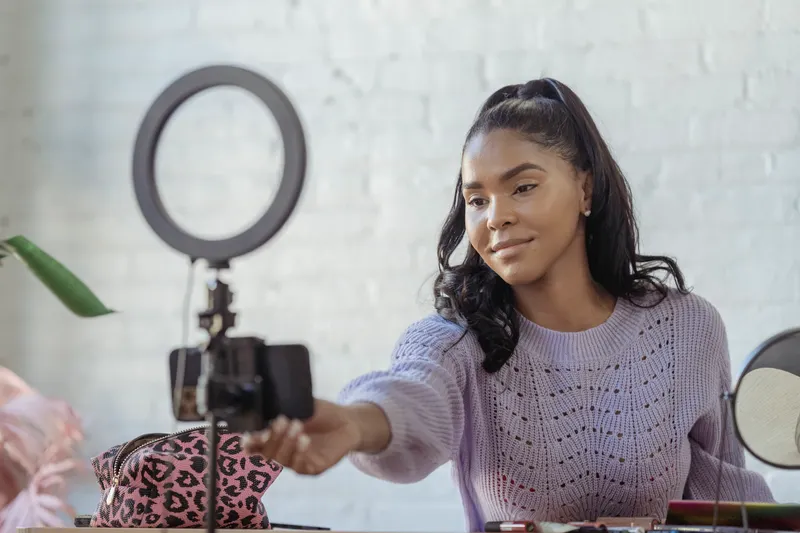
Light is the biggest factor in how good a video looks. Face a window so light falls on your face, not behind you. Outdoors, film in the shade or in the softer light of early morning and late afternoon, not under harsh midday sun. Avoid mixing different coloured lights. A small ring light helps for evening filming.
Step 3: Get clear sound
People forgive average picture quality, but they scroll away from bad audio. Use a clip-on microphone, film in a quiet room, switch off fans and air conditioning while recording, and avoid echoey empty rooms (soft furnishings help). Record a short test and listen with earphones before filming the full video.
Step 4: Frame your shots
- Shoot vertically (9:16) for Reels, TikTok and Shorts. Shoot horizontally (16:9) for YouTube and websites.
- Keep the phone at eye level for talking videos.
- Leave a little space above the head, and keep eyes about one third from the top of the frame.
- Keep the background tidy and relevant to your business.
- Clean the lens before filming. It sounds obvious, and it fixes many blurry videos.
- Lock focus and exposure by tapping and holding on the screen.
Step 5: Film in short clips
Don't try to film everything in one perfect take. Film short clips, a few seconds each, from different angles: a wide shot, a close-up of hands, the product, your face. Short clips are easier to edit and keep the video moving. Film more than you need. It's better to have extra shots than to reshoot.
Step 6: Edit simply
Free editing apps can do almost everything you need:
- Cut out pauses, mistakes and anything slow.
- Put the most interesting moment at the start.
- Add captions. Many people watch without sound, and captions help them follow.
- Add text on screen for prices, steps or key points.
- Add music quietly in the background, using sounds the platform allows.
- Add your logo or handle subtly, and a clear call to action at the end.
Step 7: Make the first second count
On Reels and TikTok, people decide almost instantly whether to keep watching. Start with movement, a surprising result, a question or a bold statement. "This is what TZS 50,000 gets you at our salon" stops more thumbs than "Hello and welcome".
Video ideas for any business
- Before and after.
- How it's made.
- A customer testimonial, filmed with permission.
- A quick tip related to your product.
- Answer a common customer question.
- A tour of your shop, office or project.
- Unboxing or packing an order.
- Meet the team.
- Product comparison.
- A day in the life of the business.
Batch your filming
Set aside a few hours every week or two to film several videos at once. Change outfits or locations between them. Then edit and schedule them through the week. Batching is how busy business owners keep posting consistently. More on this in our content ideas guide.
Common phone video mistakes
- Filming with a bright window behind you, so your face is dark.
- Bad sound from wind, echo or distance.
- Shaky handheld shots.
- Long introductions.
- No captions.
- Horizontal video posted to vertical platforms, leaving it tiny on screen.
- No clear call to action.
Phone camera settings worth knowing
| Setting | Suggestion |
|---|---|
| Resolution | 1080p is enough for social media. 4K if you have storage and want to crop |
| Frame rate | 30fps for most videos, 60fps for smoother motion or slow motion |
| Grid lines | Turn them on to keep shots level and well framed |
| Focus and exposure lock | Tap and hold on the subject so it doesn't change mid-shot |
| Camera lens | Use the main rear camera for the best quality, not the selfie camera, when possible |
| Storage | Clear space before a shoot. Running out mid-filming is common |
Example: one afternoon, a week of videos
Picture a small skincare brand. On Saturday afternoon the owner sets up by a window with a tripod and clip-on mic. She films a "how to use our face oil" tutorial, a "three mistakes people make with sunscreen" talking video, close-ups of products for a new arrivals Reel, a quick packing-orders clip and a short answer to a customer question. Changing tops between videos makes them look like different days. On Sunday she edits all five in CapCut with captions, and schedules them for the week. Two hours of filming, two hours of editing, a week of content.
Filming customers and staff
Customer testimonials and team videos are some of the most persuasive content you can make. Always ask permission first, and for anything you'll use in ads, get written consent. Make people comfortable: film in a quiet place, ask simple questions ("What was your problem before?", "What did you like most?"), and let them answer in their own words, in Swahili or English. Don't script customers. Natural answers are more believable.
Video marketing words explained
- Aspect ratio: the shape of the video, such as vertical 9:16 or horizontal 16:9.
- B-roll: extra footage that plays over talking, like close-ups of the product.
- Hook: the opening seconds that make viewers keep watching.
- Jump cut: a quick cut that removes pauses, common in social videos.
- Captions: on-screen text of what's said, for people watching without sound.
Your plan for this week
- Buy or borrow a tripod and a clip-on microphone.
- Write five video ideas with a hook for each.
- Film all five in one session near a window.
- Edit them with captions in a free app.
- Post them across the week and note which keeps people watching longest.
Where to use your videos
One good video can work in many places: Instagram Reels, TikTok, Facebook, YouTube Shorts, WhatsApp Status, your website, your Google Business Profile and ads. Export a vertical version for social media and a horizontal one for YouTube and your website when you can.
Frequently asked questions
Can I make professional marketing videos with my phone?
Yes. With good light, clear sound, a steady phone and simple editing, phone videos can look professional, especially for social media.
What is the best free app for editing videos on a phone?
Popular free options include CapCut and InShot, and Instagram and TikTok have built-in editors. Choose one you find easy and learn it well.
Should I film vertical or horizontal videos?
Vertical (9:16) for Reels, TikTok and Shorts. Horizontal (16:9) for YouTube and most websites.
How long should marketing videos be?
For Reels and TikTok, start with 15 to 45 seconds. YouTube videos can be longer if every part is useful.
Do I need a microphone for phone videos?
It's strongly recommended. A cheap clip-on microphone makes your voice much clearer than the phone's built-in mic.
What phone is best for filming marketing videos?
Most recent mid-range and high-end phones film good video. Light, sound and stability matter more than the exact model.
How do I make my phone videos look less amateur?
Use soft natural light, clear sound, a tripod, clean backgrounds, short clips, captions and a strong opening. These small things make the biggest difference.
How do I add captions to my videos?
Most editing apps, including CapCut, Instagram and TikTok, can generate captions automatically. Always check and correct them before posting.
Can I use popular songs in my business videos?
Only use music the platform allows for business accounts, or royalty-free music. Using copyrighted songs without permission can get videos muted or removed.
Written by the Vinch Digital teamWe're a Tanzanian digital marketing agency in Dar es Salaam, working with clients at home and abroad. More about us or follow @vinchdigitalagency.
Cover photo: Alfredo Dacosta on Pexels